Shops

The till, the shelf and the books telling the same story

A shop loses money in places a till alone never shows: the cash drawer that is short, the stock that walks, the customers on the credit book who stopped paying, the product that ran out on the busiest day.

At sign-up, choose Shop or retail — everything below is on from there.

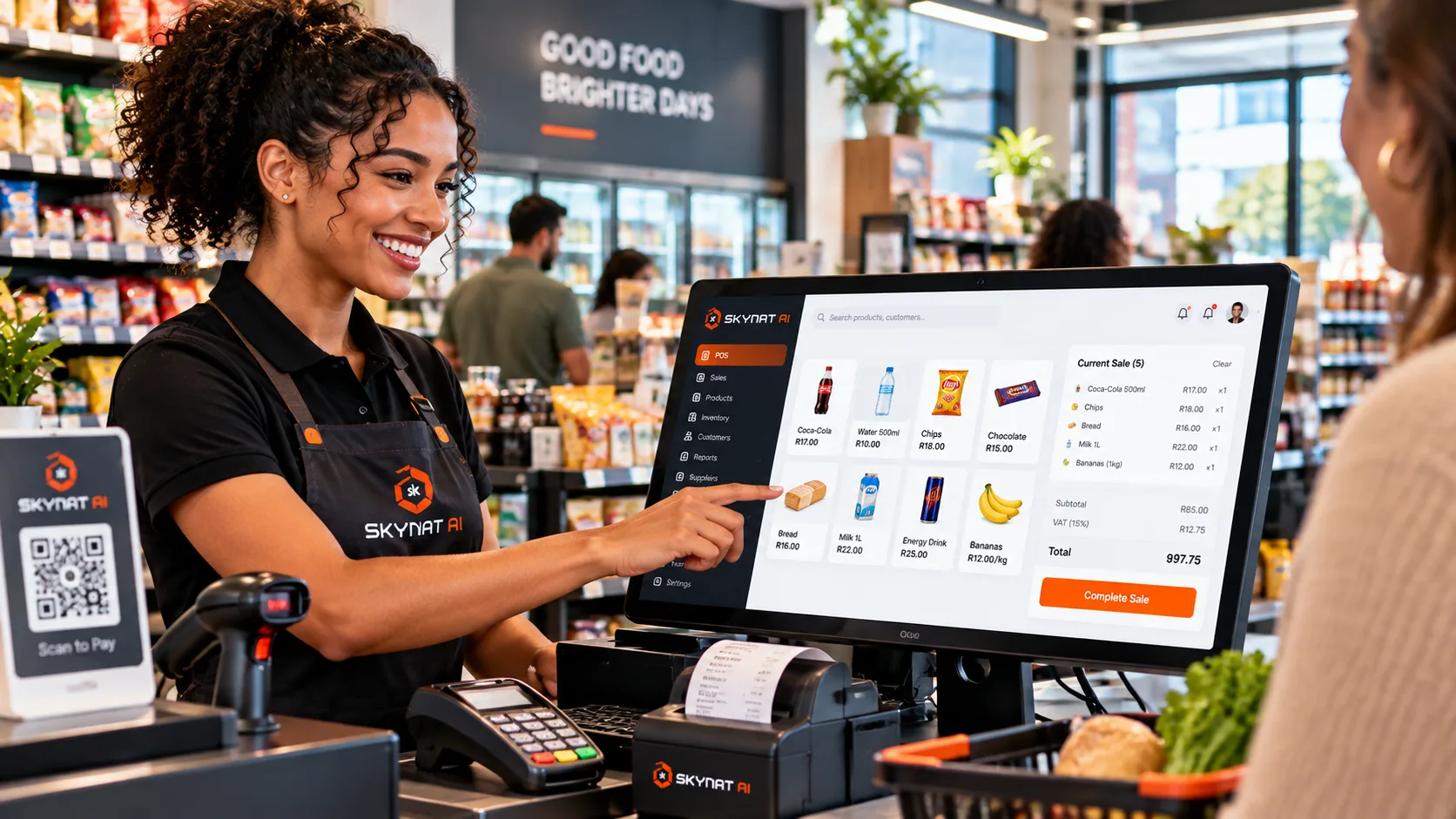
A till running on the product: the basket, the VAT line and the total, with the card machine beside it
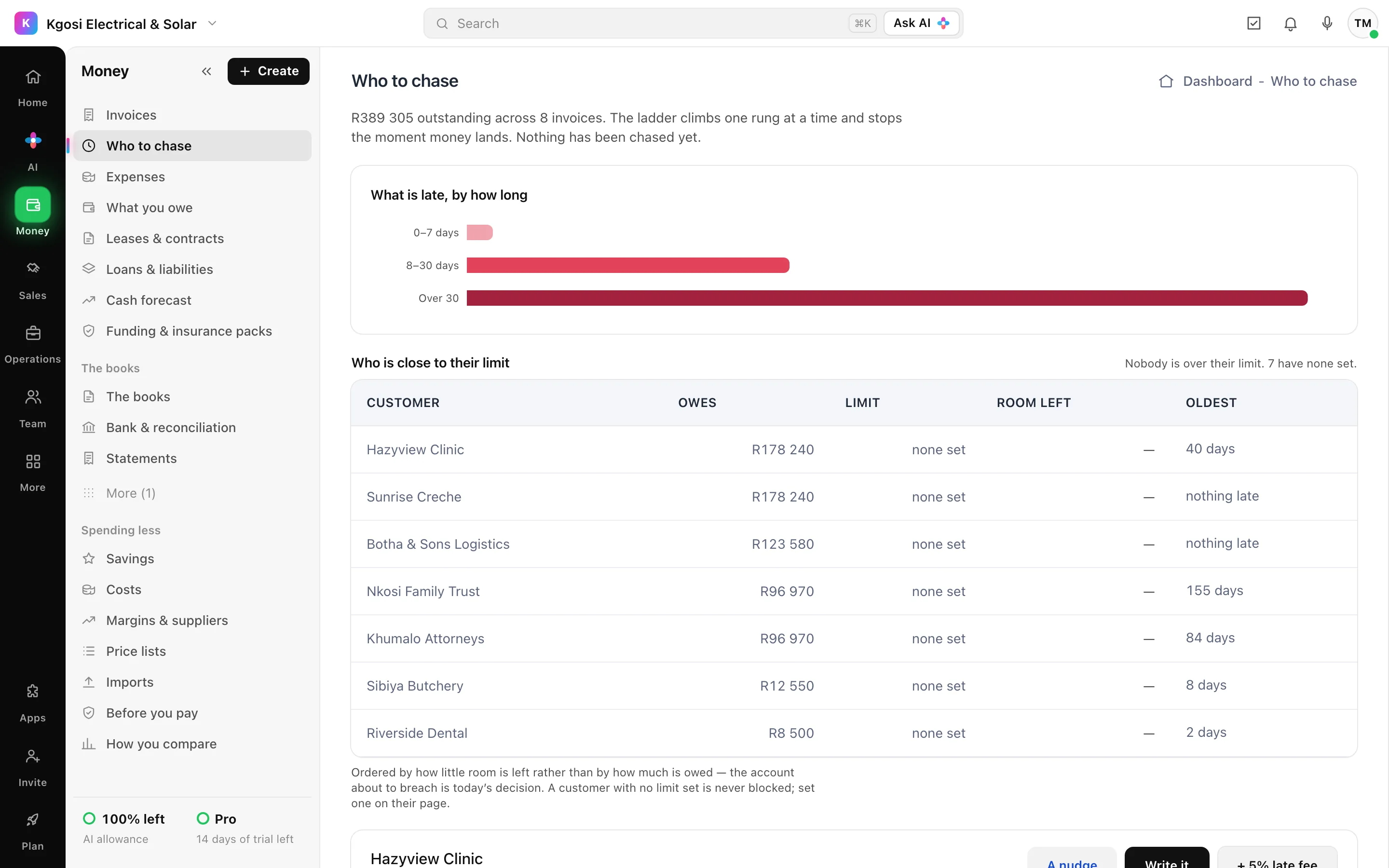
Who to chase: money owed by age, and the customers closest to their limit
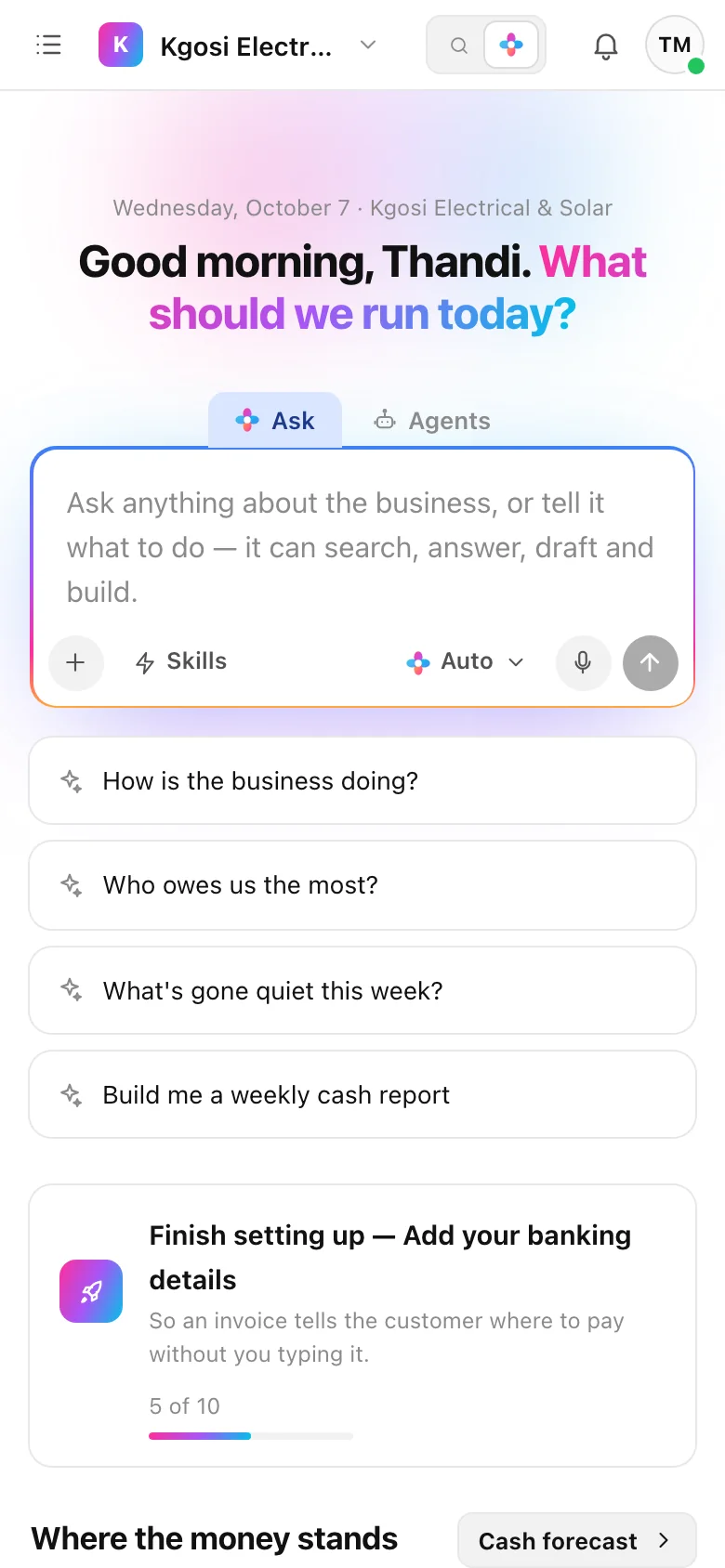
The same, on a phone

What is owed, what is late, and who to call first — the moment you open it.

The problems it solves

What goes wrong, and what it does about it

For shops, hardware stores, spaza shops, salons and anybody with a counter.

The problem

The cash drawer is short and nobody can say when it went.

What it does

Each till session opens with a float and closes with a count, and the difference is shown, not absorbed. A counter sale lands in the books the same way a quoted job does.

What you get

A short drawer is a figure on a day, with a name on the session.

The problem

The credit book: who owes, since when, and who stopped paying.

What it does

Two fields and an amount at the counter — the customer does not have to exist yet — and every entry is a real invoice in the books. A repayment goes against the oldest debt first, and the book is ordered by age, so the debt turning into a loss is the row you see.

What you get

The notebook stops being the biggest asset nobody protects.

The problem

Stock goes missing between deliveries and the shelf.

What it does

Stocktakes and cycle counts against what the system says should be there, with shrinkage shown per product.

What you get

You find out what walks, and from which shelf.

The problem

Price labels that do not match the till.

What it does

Price labels printed from the catalogue, with a code the till's scanner reads, laid out for the label paper you use.

What you get

The price on the shelf is the price at the till.

The problem

Regulars drift away and nobody notices.

What it does

Rewards customers collect, with what the points will cost you shown up front, and the customers who used to come and have stopped.

What you get

A reason to come back, at a cost you chose.

Said plainly

What it does not do yet

  • Card payments at the counter go through your own card machine or gateway, in your business's name.
Your pipeline, not a generic one

It already speaks your vocabulary

A customer is called a customer, not a “contact”. The stages below are what the board shows on day one.

SalePaid
And everything else

Nothing is switched off

The trade decides what the workspace opens on. It never removes anything — the invoices, the books, the team and the assistant come with every one of them.

Type what you need

Ask in plain language and it drafts the quote, the invoice or the customer record — then shows you the draft before anything moves.

An AI that stops for you

Three autonomy settings, and none of them lets money move or a customer be contacted without a person. Enforced in code, not in a prompt.

Quote to cash

Build from your catalogue, send a branded PDF, and the status moves itself from sent to seen to paid.

Chasing that escalates

A ladder of reminders, each rung recorded, that stops the moment money lands — and never opens with a lawyer's letter.

Real books underneath

Double-entry, bank feeds, reconciliation and a VAT return generated rather than reconstructed under deadline pressure.

Stock that tells you first

Reorder points from real demand, batch expiry before the date, and bins with a walking order so picking never depends on memory.

Proof before the argument

Geotagged, timestamped, signed evidence captured as the work happens — not asked for after a customer disputes it.

The people, not just the pipeline

Rosters, geofenced sign-on, payroll, and the daily-wage workers a payroll system has no row for.

Where you sit, not just what you made

Margin, days to get paid and win rate against your own trade — anonymously, opt-in, never below five businesses.

Pricing

14 days free, then one bill

No card to start. Per seat, because a team of ten should not run the agent on one person's subscription.

Solo

$29

a month, including 3 seats

One person, or one person and a hand or two.

  • Quotes, invoices, and the customer portal
  • The full ledger — VAT, bank feeds, cash forecast
  • The AI assistant, with a monthly allowance
  • 3 seats included, then $14 each
Start free trial
Most chosen

Pro

$19

per seat, per month

A team that runs the business in here every day.

  • Everything in Solo
  • No base charge — pay for exactly the seats you use
  • Named agents on a schedule, and the overnight sweeps
  • Field seats at $7 for drivers and technicians
Start free trial

Business

$34

per seat, per month

Several locations, or a team that leans on the agent hard.

  • Everything in Pro
  • Branches, consolidated reporting, multi-currency
  • More than three times the agent allowance per seat
  • Priority support
Start free trial

Enterprise

Custom

volume seats from $28 each

Volume seats, your own security review, a contract.

  • Everything in Business
  • Volume seat pricing from $28
  • Single sign-on and directory sync
  • Annual terms, purchase orders, invoicing
Talk to us

Full detail, including field seats and what the agent costs, on the pricing page.

Set up for shops in minutes

Choose Shop or retail at sign-up, and the workspace opens on the work above.